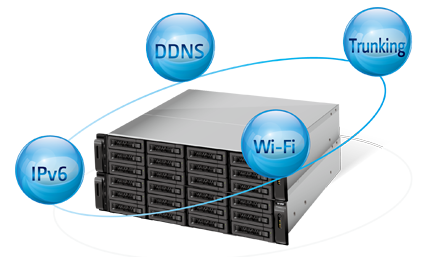
QNAP Turbo NAS provides numerous functions for network settings. The support of DDNS, IPv6, multiple LAN and wireless LAN facilitates the Turbo NAS operation for IT administrators in terms of convenience and ease of use.
DDNS:
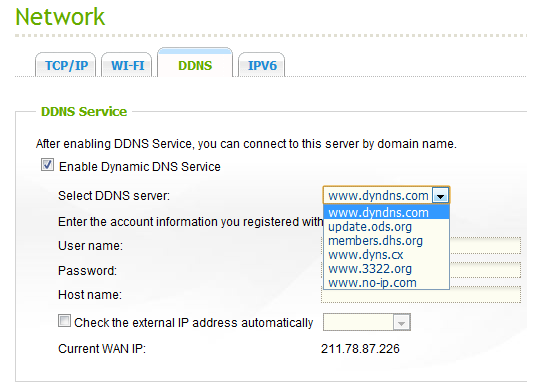
- Supports free DDNS providers
- Automatic IP update to DDNS providers
Worry-free from a floating IP address
The Turbo NAS supports Dynamic DNS (DDNS) from several service providers, and provides an easier way for users to connect to the Turbo NAS using a domain name rather than a lengthy IP address. This is rather useful when the Turbo NAS has a floating IP address that changes frequently.
By properly setting up DDNS, the Turbo NAS automatically updates its IP address to the DDNS service provider whenever the IP address changes to ensure the Turbo NAS is always reachable.
IPv6:
- Dual-stack IP host running IPv4 and IPv6
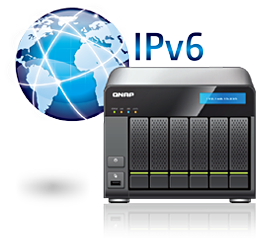
The Turbo NAS supports IPv6 (Internet Protocol Version 6) which makes it a dual-stack IP host running IPv4 and IPv6 at the same time. IPv6 on the Turbo NAS supports HTTP/HTTPS, FTP, iSCSI/Virtual Disk Drive, and SSH services.
Multiple LAN Support:
- Port-trunking
- Load balancing
- Failover
Port-trunking for better efficiency
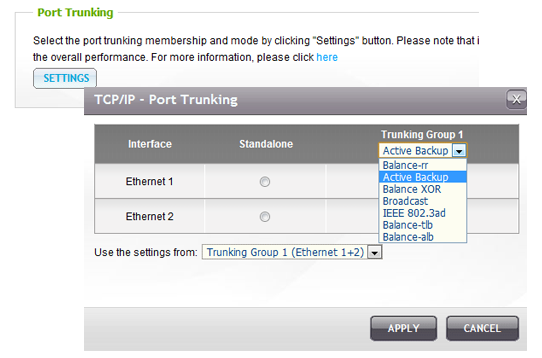
As business grows, faster network transmission speed becomes highly essential for smoother IT operations. To cope with the large amount of data transmission, the Turbo NAS models with multiple LAN design support multiple port-trunking modes, enabling IT administrators to set up link aggregation to increase total data transmission capability and achieve better efficiency on IT operations.
The supported port-trunking modes include: Balance-rr (Round-Robin), Active Backup, Balance XOR, Broadcast, IEEE 802.3ad, Balance-tlb (Adaptive Transmit Load Balancing) and Balance-alb (Adaptive Load Balancing).
Failover, load balancing, and multi-IP settings are also supported.
Wireless LAN:
- Connects to a wireless network
- Creates wireless profiles for different connections
Convenience with wireless profiles
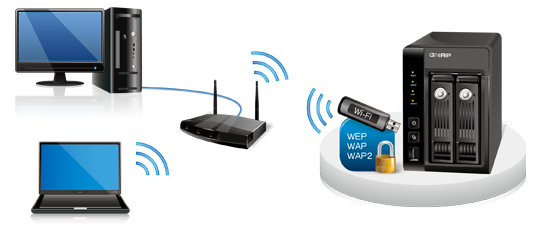
The offering of wireless LAN allows users to enjoy the convenience of Wi-Fi with the Turbo NAS. The Turbo NAS supports USB wireless adapter for flexible and secure deployment in wireless network environment. Various encryption standards, including WEP, WPA-Personal (AES/TKIP), and WPA2-Personal (AES), are supported.